
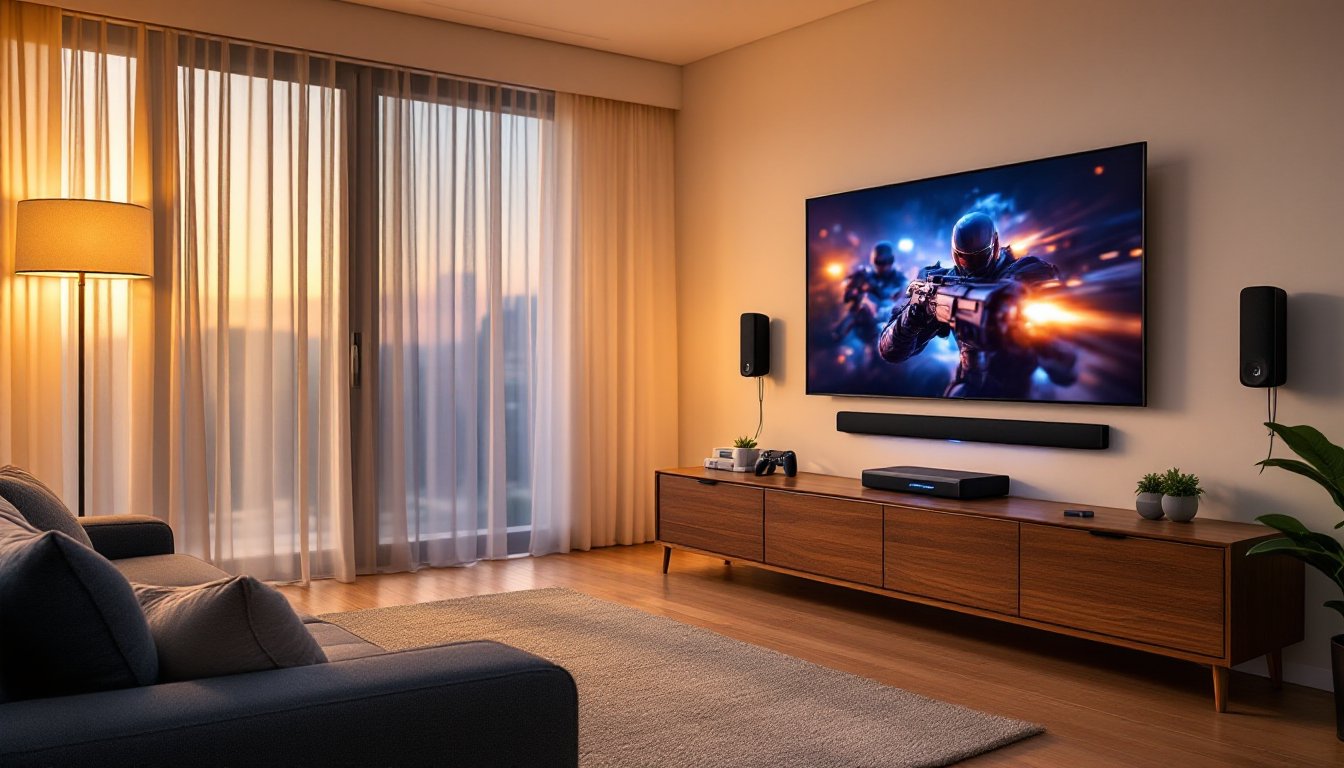
Setting up a home theater isn’t just about buying a TV anymore. Sound quality can make or break the experience, whether you’re streaming a blockbuster, gaming, or binging a series. LG has become a go-to brand for homeowners looking to upgrade their audio without hiring an installer or rewiring entire rooms. Their systems range from plug-and-play soundbars to multi-speaker setups that rival commercial cinema sound. This guide walks through what makes LG home theater systems worth considering, how to choose the right type for your space, and practical installation tips that any DIYer can handle.
Table of Contents
ToggleKey Takeaways
- LG home theater systems offer seamless compatibility with any TV brand through HDMI eARC and wireless protocols, while supporting modern formats like Dolby Atmos, DTS:X, and AI Sound Pro that optimize audio based on your content.
- Soundbars suit small spaces and renters needing simple setup, while complete speaker systems deliver superior sound staging and higher output for rooms over 250 square feet with space for separate components and wire runs.
- Critical LG home theater features including room correction technology, subwoofer size matching, and upfiring driver placement directly impact day-to-day performance and should be prioritized based on your room’s dimensions and ceiling height.
- Proper installation requires only basic tools and planning—measuring wire paths, hitting wall studs with anchors, and using fire-rated speaker cable ensures durability and eliminates costly callbacks or damage.
- Match your LG system size to room volume: apartments benefit from 2.1 soundbars, medium rooms (150–300 sq ft) from 5.1 systems, and large spaces from 7.1+ configurations with higher wattage and dual subwoofers.
- Run auto-calibration after installation and whenever furniture changes to optimize sound clarity, as room acoustics shift dramatically with décor and layout adjustments.
Why Choose an LG Home Theater System?
LG has carved out a reputation for balancing performance with practicality. Their home theater systems integrate seamlessly with LG TVs through HDMI eARC and wireless protocols, but they also work perfectly fine with Samsung, Sony, or any other brand. The real advantage is compatibility with modern streaming formats, Dolby Atmos, DTS:X, and AI Sound Pro that adapts audio based on what you’re watching.
Build quality matters when you’re mounting equipment or placing subwoofers near furniture. LG uses solid MDF cabinets on their higher-end speakers and metal grilles that won’t warp in humid basements or sun-facing rooms. Their soundbars come with wall-mount brackets and templates, which saves a trip to the hardware store.
Another practical point: HDMI pass-through with 4K/120Hz support. If you’re gaming on a PS5 or Xbox Series X, this prevents bottlenecks. Some budget systems force you to plug consoles directly into the TV, losing audio features. LG’s mid-range and up avoid that headache.
Warranty and support are straightforward. Most systems carry a one-year limited warranty covering defects, and LG’s service network is widely available in the U.S. If a speaker fails, replacement parts are usually in stock, unlike some boutique brands.
Types of LG Home Theater Systems for Every Space
LG offers two main categories: soundbars and component speaker systems. Each serves different needs, and understanding the trade-offs helps you avoid buyer’s remorse.
Soundbars vs. Complete Speaker Systems
Soundbars are the most popular choice for apartments, condos, and rooms where running speaker wire isn’t practical. LG’s soundbars range from basic 2.1 setups (two front channels plus a subwoofer) to advanced 9.1.5 configurations with wireless rear satellites and upfiring drivers for Atmos effects. Installation is straightforward: mount the bar under your TV or set it on the media console, plug in the subwoofer, and pair the rears if included. Expect 100–150 watts total power on entry models and 500+ watts on premium units like those found in recent expert soundbar roundups.
The downside? Soundbars can’t match the imaging precision of discrete speakers. Center channel dialogue is good, but stereo separation suffers because all front sound comes from one spot.
Complete speaker systems (5.1 or 7.1) use separate left, center, right, surround, and subwoofer units. LG’s packaged systems include everything plus an AV receiver with built-in amplification. You’ll need to run 16-gauge speaker wire from the receiver to each speaker, plan for drilling through walls or using cable raceways if you want a clean look. These systems deliver better sound staging and higher output, making them ideal for basements, dedicated media rooms, or open-concept living spaces over 250 square feet.
Installation requires more effort. Wall-mounting surrounds means finding studs and routing wire behind drywall. If that’s beyond your comfort level, floor stands work fine: just secure them with non-slip pads to prevent tipping.
One note: LG’s component systems are becoming harder to find as the company shifts focus to soundbars. If you want a traditional 5.1 setup, check closeout inventory or consider mixing an LG soundbar with third-party surrounds.
Top LG Home Theater Features to Consider
Not all features matter equally. Here’s what actually impacts your day-to-day experience.
Dolby Atmos and DTS:X create overhead sound effects by bouncing audio off your ceiling. It works surprisingly well in rooms with 8–10-foot flat ceilings. Vaulted or textured ceilings kill the effect. If your room qualifies, prioritize systems with upfiring drivers.
AI Sound Pro uses onboard processing to analyze dialogue, music, and effects in real time, adjusting EQ to match content. It’s genuinely useful for streaming services where audio quality varies wildly between titles. You can leave it on and forget it.
HDMI eARC (Enhanced Audio Return Channel) sends high-res audio from your TV back to the soundbar or receiver without a separate optical cable. This matters if you use your TV’s built-in streaming apps. Older HDMI ARC tops out at compressed Dolby Digital: eARC handles lossless formats. Make sure your TV supports eARC too, or you’ll lose the benefit.
Wireless connectivity is standard now, Bluetooth, Wi-Fi, Chromecast, and AirPlay 2. LG’s systems pair quickly and hold connections reliably. Bluetooth has slight latency: Wi-Fi is better for music streaming.
Subwoofer size and power determine bass output. LG’s wireless subs range from 6.5-inch drivers (fine for apartments) to 10-inch or larger for larger homes. Bigger isn’t always better, oversized subs in small rooms create boomy, muddy bass. Match sub size to room volume.
Room correction technology (like AI Room Calibration) uses a microphone to measure your space and adjust speaker output automatically. Run this setup step every time you move furniture or add rugs: acoustics change more than you’d think.
Setting Up Your LG Home Theater: DIY Installation Tips
Most homeowners can install an LG soundbar or speaker system in an afternoon with basic tools: drill/driver, stud finder, level, tape measure, wire stripper (for component systems), and a step ladder. Here’s the process.
Safety first: Wear safety glasses when drilling overhead. If you’re mounting hardware above seating, use proper anchors, drywall anchors fail under weight. Hit studs whenever possible. For soundbars, LG includes a paper template: tape it level, mark holes, drill pilot holes, and secure the bracket. Use #8 or #10 wood screws into studs, at least 1.5 inches deep.
For component systems, plan wire runs before opening boxes. Measure each path, add 10% slack. Use CL2-rated in-wall speaker wire if you’re fishing through walls: it’s fire-rated per the National Electrical Code (NEC Article 725). Regular wire is fine for surface runs.
Connect speakers to the receiver using the color-coded terminals, red to red, black to black. Reversed polarity won’t damage anything, but bass response suffers. Double-check before closing walls.
Plug the receiver or soundbar into a surge protector, not the wall directly. Power surges kill electronics: a $20 surge strip is cheaper than replacing a $600 system.
Room Layout and Speaker Placement
Soundbar placement: Mount it directly below the TV, centered. If that’s impossible, placing it on the console works as long as the bar isn’t blocked by the TV’s stand. Angle upfiring drivers toward the ceiling, not a wall.
Subwoofer placement: Bass is omnidirectional, so you have flexibility. Start by placing the sub near a corner, corner loading reinforces low frequencies. If bass sounds boomy, move it away from the wall in 6-inch increments. The “subwoofer crawl” method works: place the sub in your main seating spot, play bass-heavy content, and crawl around the room’s perimeter. Where bass sounds best to your ear, put the sub.
Surround speakers should sit 90–110 degrees from your main seating position, slightly above ear height (about 2 feet higher than seated ear level). Don’t place them behind the couch, you’ll lose the enveloping effect. Wall-mount if possible: floor stands work but take up space.
Front speakers (in component systems) flank the TV at equal distances, angled slightly inward (“toe-in”) toward the seating area. The center channel goes directly above or below the screen, aimed at listeners. If your TV sits in a cabinet, make sure the center channel clears the shelf above.
For detailed performance comparisons of LG models against competitors, many professional soundbar tests measure output levels and placement tolerances.
Optimizing Your LG Home Theater for Different Room Sizes
Room size and shape dramatically affect sound quality. A system that sounds great in one house can disappoint in another.
Small rooms (under 150 sq ft): A 2.1 or 3.1 soundbar is plenty. Avoid oversized subwoofers, they’ll overpower the space and annoy neighbors. Look for systems with bass adjustment controls so you can dial back low-end. Wall-mounting the soundbar frees up console space. Skip rear speakers: in tight quarters they’re too close to your ears and create a distracting, unbalanced effect.
Medium rooms (150–300 sq ft): This is where 5.1 soundbars with wireless rears or entry-level component systems shine. You have enough distance between front and rear speakers for proper surround imaging. A 8-inch or 10-inch subwoofer balances output without overwhelming. If your room is open to a kitchen or hallway, add 25% to the square footage when sizing your system, open floor plans leak sound.
Large rooms (300+ sq ft): Go with 7.1 or 9.1 systems if you want immersive sound. You’ll need higher wattage, look for 300 watts minimum combined output. Larger spaces also benefit from dual subwoofers placed in opposite corners to smooth bass response. Running wire is more work, but wireless surrounds often struggle with signal range beyond 30 feet. Consider hiring an electrician if you need to fish wire through finished walls: it’s not difficult, but it’s time-consuming and mistakes mean patching drywall.
Acoustic challenges: Hardwood floors, bare walls, and high ceilings cause echoes and thin sound. Add an area rug under seating, hang sound-absorbing panels on the wall behind speakers, or use heavy curtains on windows. These DIY fixes cost under $100 and make a noticeable difference. Avoid placing speakers in corners (except the sub), it causes frequency buildup. Many high-performance Dolby Atmos systems are tested in acoustically treated rooms, so real-world results vary.
Calibration: After installation, run LG’s auto-calibration using the included microphone. Sit in your primary viewing spot, start the process, and let the system measure room acoustics. It takes 5–10 minutes and genuinely improves clarity. Re-run calibration if you rearrange furniture or add large décor, anything that changes how sound reflects.
One last tip: break-in period. New speakers sound harsh for the first 10–20 hours of use as components loosen up. Don’t judge your system fully until you’ve put some hours on it.